Hunting Simulator 3 demo: Features and Steam Access
Explore the Hunting Simulator 3 demo’s Colorado hunts, tracking, dogs, and lodge features, plus Steam availability and practical beginner tips.
Hunting Simulator 3 Demo Availability and Download
The Hunting Simulator 3 demo gives you a chance to test the hunt before committing to the full game. With the Steam trial now scheduled to remain available until launch on October 29, 2026, there is still time to see whether its tracking, preparation, and patient shooting suit you. The Hunting Simulator 3 demo also offers a useful opportunity to check performance on your own PC rather than relying on trailers.
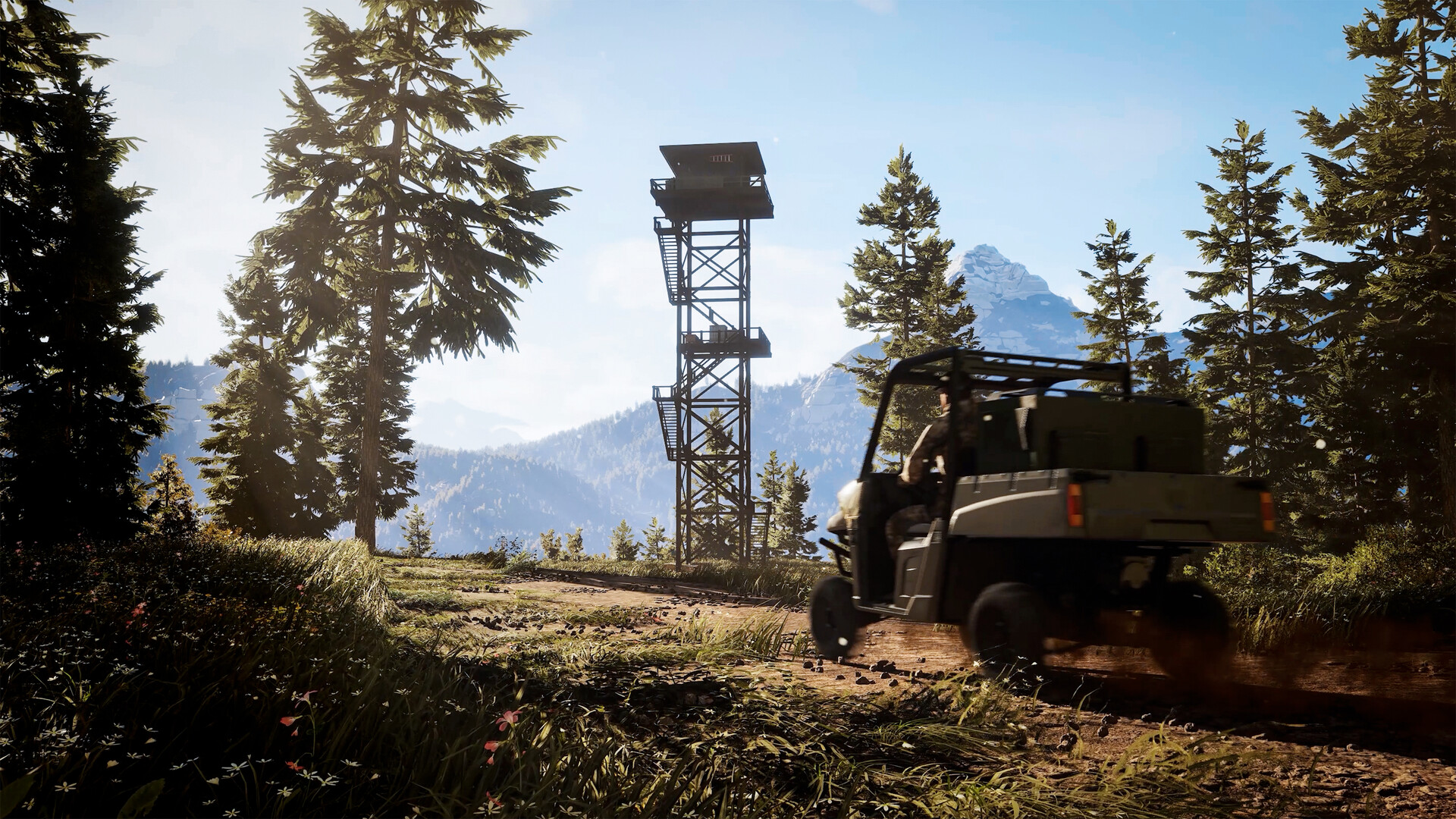
Official screenshot · Source: Steam store
As of October 26, the latest official Steam announcement says the demo remains available until the full game launches on October 29. An earlier announcement listed October 26 as the cutoff, so players working from that older date should follow the newer update.
| Question | Current information |
|---|---|
| Where is the demo confirmed? | Steam on PC |
| When does the demo availability window end? | At the full game’s launch on October 29, 2026 |
| Which reserve is advertised for the demo? | Colorado |
| Who develops the game? | Nacon Studio Ghent |
| Who publishes it? | Nacon |
| Is a console demo confirmed by these sources? | No |
To download it, open the official Hunting Simulator 3 Steam page, find the demo download section, and follow Steam’s installation prompts. Check the current announcement before installing, especially if you are reading this after launch.
The full game is also listed for PlayStation 5 and Xbox Series X, but those platform listings do not establish console demo availability. Likewise, the supplied announcements do not confirm demo save transfers, a fixed playtime limit, or post-launch demo access.
What You Can Try in the Colorado Demo
The Hunting Simulator 3 demo introduces more than aiming and firing. In the available player experience, the opening sequence walks through licensing, equipment selection, tracking, shooting, recovering an animal, and displaying a trophy before moving into Colorado.
That sequence matters because it exposes the surrounding systems early. A hunting simulator can look appealing in screenshots yet feel very different once you spend time following signs, choosing equipment, and waiting for a clear opportunity.
A tutorial built around a complete hunt
The recorded player experience begins with a guided white-tailed deer hunt. The instructor introduces the lodge as a base, provides a license, and directs the player to a loadout bench before heading outside.
After the harvest, the tutorial covers the results screen and trophy placement. This gives newcomers a complete example of how an outing starts and ends, rather than dropping them into an open world without context.
| Activity | Shown in the player experience | What to evaluate |
|---|---|---|
| Guided deer hunt | Licensing, preparation, tracking, shooting, and recovery | Whether the tutorial explains enough |
| Colorado exploration | Travel from the lodge toward hunting locations | Navigation and travel pace |
| Rabbit objective | Inspecting burrows and harvesting three rabbits | Small-game visibility and patience |
| Kennel visit | Selecting a canine companion | How clearly dog roles are explained |
| Trophy display | Placing the tutorial deer in the lodge | Whether collecting trophies appeals to you |
Colorado starts with small-game management
The early Colorado objective shown in the player experience focuses on cottontail rabbits near Horseshoe Lake. The instructions ask the player to locate a hunting tower, inspect burrows, and harvest three rabbits.
The mission frames the task as population management rather than casual target shooting. That is a useful introduction to the game’s stated ecosystem focus, although one short mission cannot establish how deeply the broader simulation works.
Do not assume everything advertised for the full game is accessible in the demo. Official descriptions also discuss Texas, off-road vehicles, and a larger arsenal. The available demo material establishes Colorado access, not unrestricted access to every region or system.
Tracking, Licenses, and Shot Placement
The strongest reason to try the Hunting Simulator 3 demo is to find out whether you enjoy the work surrounding each shot. The recorded player experience shows a loop built around reading animal signs, following a trail, choosing a position, and checking the result afterward.
Follow evidence instead of wandering blindly
During the tutorial, inspected footprints associated with the tracked deer change color and appear on the GPS. Droppings provide another clue, while discovered hunting structures become map references.
These aids make tracking easier to follow without removing the need to inspect your surroundings. Rather than running toward every sound, use the tutorial to learn how the game connects individual clues.
A practical approach is to:
- Inspect the initial animal sign before moving on.
- Check the GPS after finding additional footprints.
- Note nearby blinds or towers as possible observation points.
- Slow down when approaching the likely hunting area.
- After firing, inspect the hit location before beginning recovery.
The player experience also shows blood evidence, with the tutorial explaining that its appearance can indicate shot quality. That gives recovery a role beyond simply walking toward a marker.
Licenses and caliber choices have consequences
In the recorded player experience, harvesting a goose with the wrong caliber and without the proper license produces violations. This is an important warning: seeing an animal does not automatically mean you are authorized or correctly equipped to hunt it.
| Before taking a shot | Why it matters |
|---|---|
| Identify the species | Different animals may require different permissions |
| Check the equipped license | A license for one species does not cover every encounter |
| Verify weapon suitability | The player experience shows a wrong-caliber violation |
| Estimate the distance | A rangefinder can help inform shot preparation |
| Wait for a clear opportunity | The tutorial emphasizes avoiding unnecessary suffering |
The post-harvest screen shown in the player experience includes animal information, shot details, and an X-ray-style bullet-path view. Use that feedback to assess placement rather than judging success only by whether the animal fell.
The Hunting Simulator 3 demo is particularly useful here: it lets you decide whether this feedback feels informative enough to encourage better shooting.
Equipment, Hunting Dogs, and Lodge Features
Preparation appears to be a substantial part of the experience. The recorded loadout menus show categories including scopes, muzzle attachments, bipods, binoculars, rangefinders, callers, decoys, scents, blinds, and wind powder.
However, a menu listing is not proof that every item is unlocked or usable during the demo. Treat those categories as evidence of the equipment interface, not a guaranteed inventory.
Start with a focused loadout
For your first outing, follow the objective instead of trying to prepare for every species. A rabbit assignment is a good reason to review small-game equipment, not an invitation to carry whatever weapon looks most impressive.
| Equipment or feature | Practical value | Sensible first test |
|---|---|---|
| Scope | Helps you inspect and aim at distant targets | Check magnification and sight clarity |
| Rangefinder | Helps establish target distance | Measure before preparing a shot |
| Binoculars | Supports observation | Scan an area before advancing |
| Wind powder | Provides a way to assess wind | Check conditions before approaching |
| Hunting blind | Offers an established observation position | Compare waiting with moving |
| GPS and map markers | Support navigation and tracking | Mark the intended hunting location |
Dogs are intended to be working companions
Official descriptions say hunting dogs can help locate tracks, follow trails, and retrieve small game through a command wheel. The demo player experience shows a kennel visit and the selection of a dog, while the tutorial describes different canine strengths.
That establishes the companion’s presence, but it does not fully demonstrate every advertised task. During your own session, pay attention to how clearly commands communicate what the dog should do and whether its assistance helps you understand the terrain.
The lodge connects preparation and rewards
The player experience shows trophy placement and explores lodge customization. Official full-game descriptions also position the lodge as a place to display trophies, manage equipment, and relax between hunts.
This can make successful outings feel more tangible: the animal you recover becomes part of the space you return to. If collecting and displaying trophies is important to you, spend time with the lodge menus rather than treating the building only as a departure point.
Another detail worth testing is movement. The player experience shows third-person walking and reports entering and leaving hunting blinds without a loading screen.
PC Requirements and a Useful First-Session Plan
The Hunting Simulator 3 demo is also a practical hardware test. The available player experience describes some initial choppiness, followed by a more comfortable result after graphics adjustments, including switching to the High preset.
That is an individual observation, not a benchmark. The recording does not provide a reliable hardware-and-frame-rate comparison, so it cannot establish how the game will perform on your system.
The following are the official full-game PC requirements listed on Steam, not a separately published demo specification.
| Component | Minimum | Recommended |
|---|---|---|
| Operating system | Windows 11, 64-bit | Windows 11, 64-bit |
| Processor | Intel Core i5-9400F or AMD Ryzen 5 3600 | Intel Core i5-14600K or AMD Ryzen 9 7900X |
| Memory | 8 GB RAM | 16 GB RAM |
| Graphics | Radeon RX 5600 XT 6 GB or GeForce RTX 2060 6 GB | GeForce RTX 4060 8 GB or Radeon RX 6800 XT 16 GB |
| DirectX | Version 12 | Version 12 |
| Storage | 25 GB available | 25 GB available |
For a useful first session, complete the guided deer hunt before judging the broader experience. It introduces the mechanics you will need once you reach Colorado.
Then try this sequence:
- Check performance outdoors. Test near vegetation and water, not just inside the lodge.
- Change one graphics setting at a time. Revisit the same location to make comparisons easier.
- Verify licenses and equipment. Avoid turning your first independent outing into a violation test.
- Follow the rabbit objective. Use it to practice observing burrows and waiting.
- Visit the kennel and lodge. Decide whether these supporting systems add value for you.
- Review a harvest result. Check whether the shot information helps explain what happened.
The most useful question is not simply whether the scenery looks good. It is whether tracking, travel, waiting, preparation, and recovery remain enjoyable between shots. That is what the Hunting Simulator 3 demo can help you answer before launch.
FAQ
When does the Hunting Simulator 3 demo end?
The latest official Steam announcement, dated October 26, 2026, says it remains available until the full game launches on October 29. This updates the earlier October 26 cutoff.
Is the demo available on PS5 or Xbox?
The supplied official material confirms the demo on Steam. It lists console versions of the full game but does not confirm a PlayStation 5 or Xbox demo.
What can you do in the demo?
The available player experience shows a guided white-tailed deer hunt, Colorado exploration, a three-rabbit objective, tracking, loadout menus, a kennel visit, and trophy placement. It does not establish access to every full-game feature.
Will demo progress carry into the full game?
The supplied announcements do not confirm save transfers. Treat progress carryover as unverified, and check official updates before assuming your trophies, unlocks, or completed objectives will transfer.
Related Guides
Hunting Simulator 3 engine: Graphics and Features
Explore Hunting Simulator 3 engine details, reported graphics and performance, wildlife behavior, and what gameplay footage cannot confirm.
Hunting Simulator 3 multiplayer: Co-op Status Explained
Is Hunting Simulator 3 multiplayer? See what Steam confirms about co-op, leaderboards, crossplay, and editions before the October 29 launch.
Hunting Simulator 3 update: Antlers and Launch Details
Explore reported antler improvements, toned-down blood effects, demo availability, and launch details in the Hunting Simulator 3 update.
Hunting Simulator 3 early access: Demo & Release Guide
Hunting Simulator 3 early access explained: Steam demo availability, October 29 release, platforms, PC specs, and what preview gameplay reveals.
Hunting Simulator 3 PC: Release, Specs & Steam Guide
Get Hunting Simulator 3 PC release details, system requirements, Steam demo availability, controller support, and practical hunting tips.