Hunting Simulator 3 PC: Release, Specs & Steam Guide
Get Hunting Simulator 3 PC release details, system requirements, Steam demo availability, controller support, and practical hunting tips.
Hunting Simulator 3 PC: What to Know Before Launch
Your first hunt can go wrong before you ever fire a shot if your computer—or your equipment—isn’t ready. Hunting Simulator 3 PC is scheduled to launch on October 29, 2026, making now the time to check its Windows requirements and try the Steam demo. This Hunting Simulator 3 PC guide explains what’s confirmed, what remains unverified, and what early player experience suggests about preparing for the wilderness.
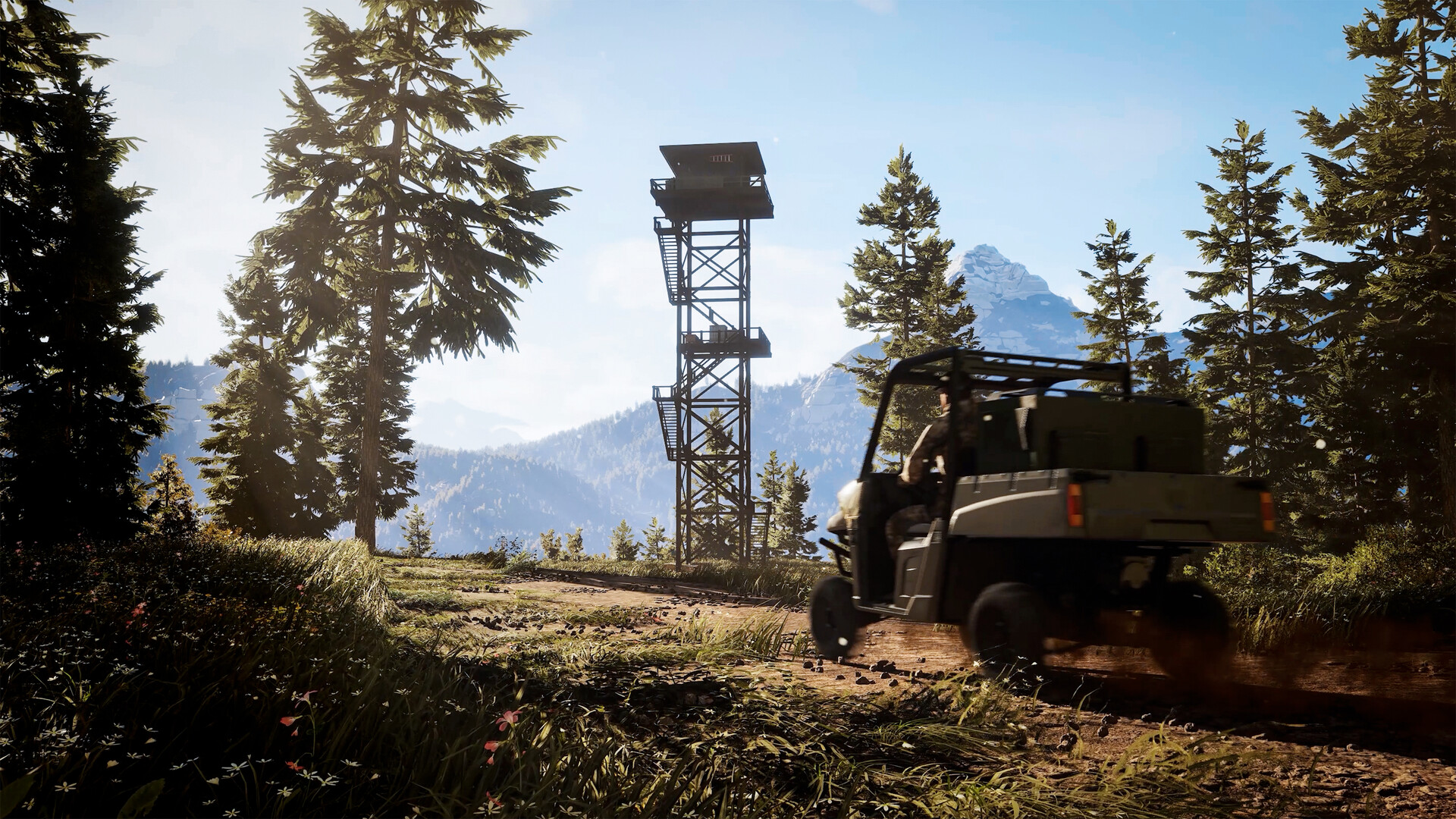
Official screenshot · Source: Steam store
Developed by Nacon Studio Ghent and published by Nacon, the game combines open-world exploration, licensed hunting equipment, and a canine companion. Colorado and Texas provide the settings, with travel available on foot or by all-terrain vehicle.
As of October 26, 2026, the full game has not launched on Steam. The information below separates official store details from observations in prerelease gameplay, which may change before or after release.
| Key detail | Confirmed information |
|---|---|
| PC release date | October 29, 2026 |
| Confirmed PC storefront | Steam |
| Developer | Nacon Studio Ghent |
| Publisher | Nacon |
| Listed operating system | Windows 11, 64-bit |
| Required storage space | 25 GB available |
| Steam Deck status | Unknown |
| Officially listed game mode | Single-player |
The most important distinction is that prerelease footage does not establish that the game is launching through Steam’s Early Access program. A creator’s “early access” label can describe access before release rather than an official distribution model.
Release Date, Steam Demo, and Buying Options
The official Hunting Simulator 3 PC release date is October 29, 2026. Both Steam and Nacon’s product information list that date, although the supplied material does not establish an exact regional unlock time.
Use the official Hunting Simulator 3 Steam listing to check current availability, download the demo, and verify the purchase options offered in your region.
Is the Steam demo still available?
Yes, according to Steam’s October 26 announcement, the demo remains available until the full game launches on October 29. That newer announcement updates an earlier message that gave October 26 as the demo’s end date.
The demo offers an opportunity to explore Colorado and assess whether the hunting loop appeals to you. It is also useful for checking responsiveness and visual comfort on your own hardware, although demo performance should not be treated as a final benchmark for the release build.
Before downloading:
- Check the current demo notice on Steam.
- Compare your hardware against the requirements below.
- Leave sufficient free space for installation and updates.
- Avoid assuming that demo progress transfers; the supplied information does not confirm save carryover.
What about PC pricing and editions?
Nacon’s product page includes Standard Edition PC Digital and Apex Predator Edition PC Digital entries. However, the supplied snapshot does not show a confirmed price for either PC edition.
Console prices appear elsewhere on the page, but those should not be presented as verified PC pricing. Likewise, Steam’s “Deluxe Edition” heading and Nacon’s “Apex Predator Edition” wording should not be assumed to describe identical packages without checking their contents.
For Hunting Simulator 3 PC buyers, the safest approach is to compare the actual Steam checkout listing with the selected PC product on Nacon’s store. Confirm the platform, edition contents, regional price, and any bonus eligibility before paying.
Hunting Simulator 3 PC System Requirements
Both official sources provide the same minimum and recommended specifications. Windows 11 64-bit and DirectX 12 are listed at both levels, so do not assume official Windows 10 support.
| Component | Minimum requirements | Recommended requirements |
|---|---|---|
| Operating system | Windows 11, 64-bit | Windows 11, 64-bit |
| Intel processor | Core i5-9400F | Core i5-14600K, 3.5 GHz |
| AMD processor | Ryzen 5 3600 | Ryzen 9 7900X, 4.7 GHz |
| Memory | 8 GB RAM | 16 GB RAM |
| NVIDIA graphics | GeForce RTX 2060, 6 GB | GeForce RTX 4060, 8 GB |
| AMD graphics | Radeon RX 5600 XT, 6 GB | Radeon RX 6800 XT, 16 GB |
| DirectX | Version 12 | Version 12 |
| Storage | 25 GB available | 25 GB available |
What do these specifications mean in practice?
The requirements establish hardware targets, not guaranteed frame rates. The supplied listings do not specify resolution, graphics presets, or a target such as 60 FPS.
A computer meeting the minimum requirements should therefore not be described as guaranteed to deliver a particular experience at 1080p. Similarly, the recommended hardware does not establish verified 1440p or 4K performance.
The recommended GPU options also differ substantially in specifications. Rather than treating every listed card as interchangeable across all settings, use the demo to assess your particular configuration.
A practical prelaunch performance check
For a useful Hunting Simulator 3 PC test, keep your resolution and graphics settings consistent while comparing different situations.
| Test situation | What to watch for | Why it matters |
|---|---|---|
| Walking through vegetation | Frame-time spikes and uneven movement | Exploration is a large part of the game |
| Watching several animals | Responsiveness as wildlife moves | Busy scenes may behave differently from empty terrain |
| Aiming at moving birds | Input response and visual clarity | Tracking a flying target exposes distracting stutter |
| Traveling by ATV | Hitches during movement | Traversal can reveal issues missed while standing still |
| A longer hunting session | Stability over time | A short launch test cannot show every problem |
Update your graphics drivers before testing, close unnecessary background applications, and change one setting at a time if performance is inconsistent. Record the resolution and preset alongside any frame-rate observations so comparisons remain meaningful.
PC Features, Controls, and Compatibility
Hunting Simulator 3 PC centers on choosing equipment, locating wildlife, and recovering your harvests. Its official descriptions emphasize animal behavior through the SimFauna system, including reactions to player activity and animals aging over time. Nacon also describes reproduction within the ecosystem.
Those are advertised systems, not independent proof of how convincingly every animal behaves. Launch reviews and longer sessions will be more useful for assessing their depth.
What is included in the hunting loop?
The confirmed equipment categories include rifles, shotguns, bows, and crossbows. Licensed brands include Remington, Beretta, Winchester, and Browning.
Your dog supports tracking and small-game retrieval through a command wheel. Away from the field, the customizable lodge provides space to display trophies and purchase or modify equipment. A timed clay-target activity adds a score-chasing alternative to wildlife hunting.
| Feature area | Officially listed support | Practical takeaway |
|---|---|---|
| Controllers | Xbox controllers; DualShock and DualSense through USB | PlayStation controller users should plan for a wired connection |
| Steam services | Achievements, Cloud, stats, leaderboards, Family Sharing | These features are listed on the store page |
| Accessibility | Adjustable difficulty, save anytime, camera comfort, audio controls | Review the available options before your first hunt |
| English language | Interface, full audio, subtitles | English has all three categories listed |
| Steam Deck | Compatibility unknown | Do not assume verified handheld support |
| Multiplayer | Not listed as an official feature | Treat the confirmed experience as single-player |
A “Multiplayer” community tag appears on Steam, but user-defined tags are not equivalent to developer-confirmed functionality. There is no basis in the supplied official feature list to promise co-op.
Similarly, Windows is the only operating system covered by the requirements. Native macOS and Linux support are not confirmed. Steam Deck compatibility also remains unknown rather than verified or officially unsupported.
Early Player Experience: Tips for Your First Hunts
Prerelease waterfowl footage offers useful preparation advice, provided it is treated as player experience, not a guarantee of final mechanics. The featured session includes American black ducks, Canada geese, upland birds, and white-tailed deer.
The biggest lesson is that recovering an animal matters just as much as landing the shot.
Bring your dog before hunting over water
In the recorded player experience, birds downed in water did not drift toward the hunter. The creator needed the dog to retrieve them, and birds disappeared after the player left the area to fetch the companion.
The player also died while attempting to reach a bird in the water. That observation supports a straightforward precaution: use your dog for water retrieval instead of assuming you can swim to a harvest.
Keep the companion nearby and finish collecting downed birds before moving elsewhere.
Match ammunition to your target
The creator reported being limited to one ammunition type per gun in that build. With only one shotgun and medium birdshot equipped, the player focused on American black ducks and Canada geese rather than teal, which required different shot.
A later wrong-weapon harvest awarded only one credit in the recorded session. That is a specific example, not a universal payout formula, but it illustrates why checking weapon suitability matters.
Before leaving the lodge:
- Choose the species you want to pursue.
- Check the required ammunition or weapon category.
- Confirm that your selected loadout matches.
- Carry enough ammunition to finish the planned hunt.
Track licenses and remaining tags
The same player experience showed a waterfowl license with 10 tags, eventually filling all 10 American black duck slots. The creator also monitored a goose license approaching expiration.
Check both remaining harvest allowance and license validity before continuing. A flock arriving nearby is not a reason to stop checking which species you are targeting.
Slow down and recover before repositioning
The footage shows several avoidable interruptions: sprinting disrupted a reload, the dog sometimes lagged behind, and retrieval did not always proceed smoothly.
For your first Hunting Simulator 3 PC session, build a deliberate routine: identify the animal, confirm eligibility, take the shot, finish reloading, then retrieve and claim the harvest. That sequence is more dependable than chasing every new flock while earlier birds remain uncollected.
FAQ
When does Hunting Simulator 3 PC release?
Hunting Simulator 3 PC is scheduled for October 29, 2026. As of October 26, the full game is not yet available on Steam, while the latest official announcement says the demo remains available until launch.
Can I play Hunting Simulator 3 on Windows 10?
The official minimum and recommended requirements list Windows 11 64-bit. The supplied sources do not confirm Windows 10 support, so Windows 10 users should not assume compatibility before purchasing.
Does Hunting Simulator 3 support controllers or Steam Deck?
Steam lists Xbox controllers and USB-connected DualShock and DualSense controllers. Steam Deck compatibility is unknown in the supplied listing. Controller support alone does not establish Steam Deck performance or compatibility.
Is Hunting Simulator 3 multiplayer?
The official Steam features list identifies the game as single-player. Although a community-generated multiplayer tag appears, the supplied official information does not confirm co-op or competitive multiplayer. Buy based on the confirmed single-player offering rather than that tag.
Related Guides
Hunting Simulator 3 crossplay: PS5, Xbox, and PC Status
Is Hunting Simulator 3 crossplay confirmed? Get the latest PS5, Xbox, and PC details, plus what Steam says about multiplayer and saves.
Hunting Simulator 3 mobile: Check the Official Platform Listing
Check the Windows release listing and distinguish an official mobile edition from remote streaming.
Hunting Simulator 3 Nintendo Switch: Platform Status
Is Hunting Simulator 3 coming to Nintendo Switch? Check confirmed platforms, the October 2026 release date, pricing, and what Nintendo owners should know.
Hunting Simulator 3 early access: Demo & Release Guide
Hunting Simulator 3 early access explained: Steam demo availability, October 29 release, platforms, PC specs, and what preview gameplay reveals.
Hunting Simulator 3 Apex Predator Edition: Buyer's Guide
Compare Hunting Simulator 3 Apex Predator Edition pricing, weapons, gear, and bonuses before deciding whether the $15 upgrade is worth it.