Hunting Simulator 3 customization: Gear Guide
Explore Hunting Simulator 3 customization, including weapons, attachments, clothing stats, backpacks, and practical loadout tips.
What Can You Customize in Hunting Simulator 3?
A great-looking rifle is only part of the setup: Hunting Simulator 3 customization also covers optics, field equipment, clothing stats, and carrying capacity. Those choices matter because your loadout determines which tools you bring and which equipment bonuses support your hunt. This Hunting Simulator 3 customization guide explains the options shown so far and what to check before spending your in-game money.
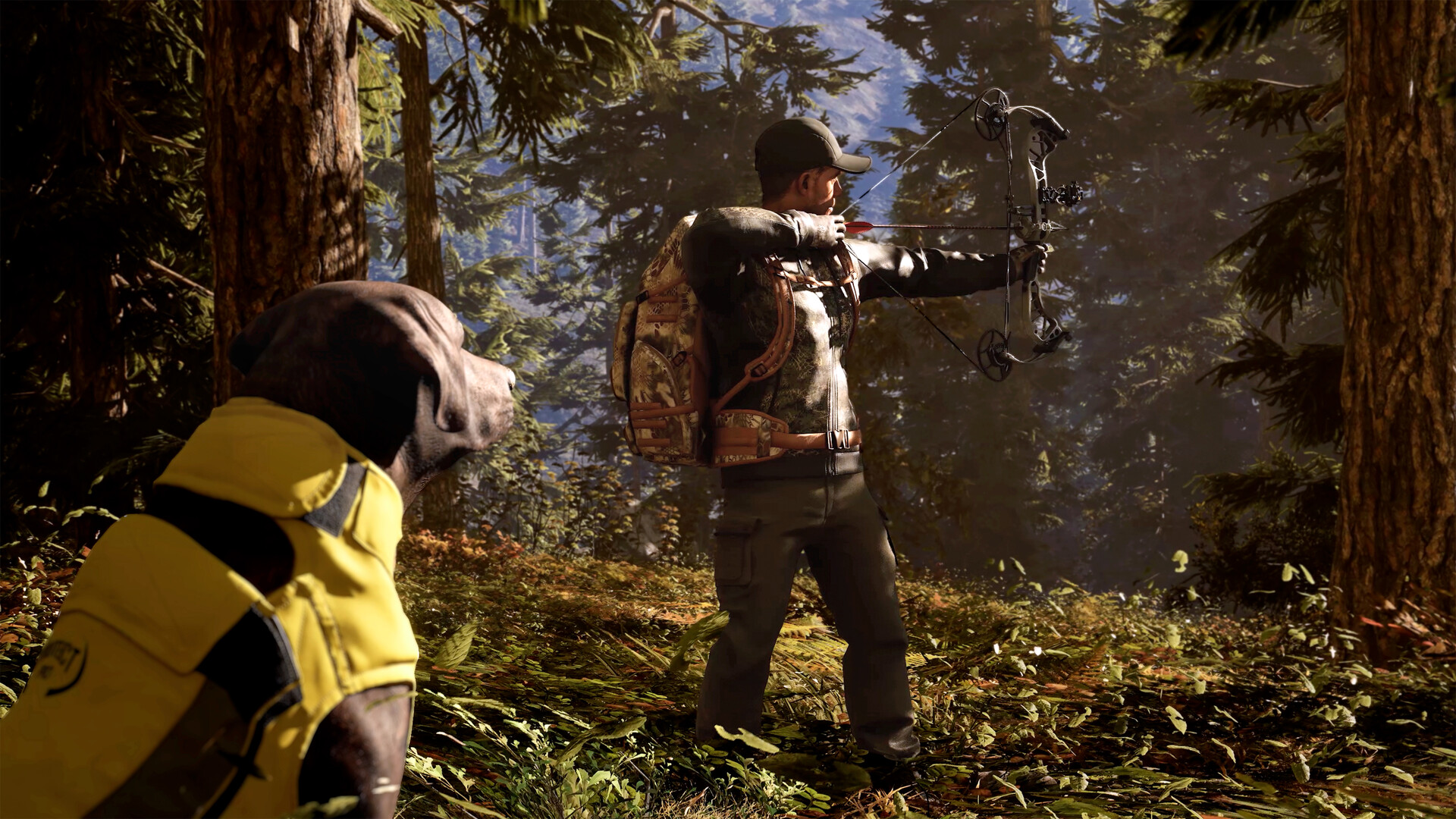
Official screenshot · Source: Steam store
Release-status note: As of October 26, 2026, the game is scheduled to launch on October 29. The official Hunting Simulator 3 Steam listing confirms branded weapons, equipment modification, and a customizable hunting lodge. Detailed menu information below comes from player experience in a prerelease customization walkthrough, so availability, prices, and balance may change.
The main customization systems break down like this:
| System | Options shown or officially described | Main purpose |
|---|---|---|
| Weapons | Rifles, shotguns, bows, and crossbows | Choose your hunting platform |
| Attachments | Scopes, muzzle devices, and a bipod | Modify supported weapons |
| Field equipment | Binoculars, rangefinders, calls, decoys, sprays, and blinds | Prepare for a specific outing |
| Character | Facial features and clothing slots | Personalize appearance and compare bonuses |
| Lodge | Trophy displays and gear management | Organize your hunting hub |
The most useful starting habit is simple: read the item information panel before buying. Player experience shows that important details—including caliber choices, reticle previews, and clothing attributes—appear in the lower-right portion of the interface.
Weapon Customization: Models, Calibers, and Attachments
Hunting Simulator 3 customization starts at the lodge’s loadout bench. According to player experience, this is where you access weapon slots and browse the available categories.
The walkthrough shows bolt-action, lever-action, and semi-automatic rifles; break-action, pump-action, and semi-automatic shotgun categories; plus a compound bow, recurve bow, and crossbow.
Officially advertised firearm brands include Remington, Beretta, Winchester, and Browning. Community reports also show Haenel, Merkel, and Verney-Carron entries in the weapon menus.
Check caliber choices before choosing a model
Many rifles shown in the walkthrough offer multiple chamberings rather than one fixed caliber. However, not every weapon supports every caliber.
Selected examples from player experience illustrate the difference:
| Weapon shown | Caliber options reported | What to check |
|---|---|---|
| Winchester Model 70 Coyote Light | .223 and .243 | Whether either option suits your planned hunt |
| Winchester XPR Sporter | .243, .270, .30-06, .300, and .308 | The exact cartridge label and weapon stats |
| Beretta BRX1 Carbon | .308, .300, and .30-06 | Differences between available configurations |
| Browning X-Bolt Hell’s Canyon Long Range | .270 and .300 | Whether its narrower selection meets your needs |
| Remington Model 783 | .223, .243, .270, .30-06, .300, and .308 | Your preferred caliber before purchasing |
Some cartridge names in the spoken walkthrough are abbreviated. Treat entries such as “.300” as transcript shorthand and verify the complete designation in-game.
For a first purchase, choose around your intended hunt rather than the largest caliber list. Check the game’s species requirements, ammunition options, and displayed stats before committing. A flexible rifle is useful only if its available configuration fits your needs.
Compare attachments by their displayed effects
Player experience shows several weapon modification categories:
| Modification | Options reported | Practical buying advice |
|---|---|---|
| Optics | Bushnell scopes and an RXS-100 reflex sight | Compare magnification and reticle previews |
| Ammunition | Selections vary by caliber | Inspect available ammunition after selecting the weapon |
| Underbarrel | Bipod | Confirm compatibility and learn its controls |
| Muzzle brake | Two HS versions | Compare the listed recoil reduction |
| Suppressor | Four HS versions | Compare the listed noise reduction |
The walkthrough reports 20% and 30% recoil reduction for the two muzzle brakes. It also describes suppressor noise reductions beginning at 20% and 25%, with stronger options farther down the list. These are prerelease menu values, not independently tested field results.
Community reports indicate that shotguns can accept scopes, but cannot accept suppressors in the demonstrated build. Always check the selected weapon’s actual attachment menu rather than assuming that every accessory fits.
Choose a scope for its usable zoom range
Reported Bushnell options include 3–9x40, 4–12x40, 4–16x50, and 6–18x50 scopes, alongside lower-magnification alternatives.
Higher maximum magnification does not automatically make an optic the best purchase. As a general gameplay consideration, a lower minimum zoom can make nearby targets easier to locate, while greater magnification can help with distant inspection.
Use the reticle preview, compare the zoom range, and pick something you can comfortably aim with. No source provided establishes a single best scope for every hunt.
Field Equipment: Build a Loadout Around Your Target
The next layer of Hunting Simulator 3 customization is your field kit. Instead of filling slots with unrelated tools, decide what you intend to hunt and how you plan to approach it.
Player experience shows Bushnell binoculars and laser rangefinders, species-oriented calls, decoys, scent products, portable blinds, and wind powder.
Compare observation tools carefully
Binocular examples include Bushnell Prime, R3, R5, Forge, Nitro, and Fusion models. The Fusion 12x50 entry is described as rangefinding binoculars.
Separate rangefinder entries include the Nitro 1800, R3 1200, Prime 1700, and R5 2000 AB.
Check the in-game zoom information rather than relying exclusively on product names. The walkthrough highlights differences between fixed and variable zoom values in the item panel. It does not establish which model offers the best overall performance.
| Equipment type | Examples reported | Question to ask before packing |
|---|---|---|
| Binoculars | Prime, R3, R5, Forge, and Nitro | Does the displayed zoom suit my spotting needs? |
| Rangefinding optics | Fusion binoculars and separate laser rangefinders | Can one tool cover my observation needs? |
| Calls | Deer, duck, goose, pheasant, predator, elk, and turkey calls | Does the call match my target? |
| Decoys | Duck, turkey, buck, predator-style, and elk entries | Am I planning a hunt that uses a decoy? |
| Blinds | Deployable blind and Primos Double Bull Stakeout Surround Blind | Do I intend to wait in one location? |
| Wind powder | Consumable wind indicator | Have I reserved space for checking wind direction? |
Treat scents as tools, not species announcements
Community reports show scent killers and lure sprays labeled for several animals. However, the walkthrough does not test whether lure sprays are applied to the player, the ground, or another target.
Likewise, a species name appearing on a lure bottle does not confirm that animal’s availability in the demonstrated area or build. Avoid treating menu entries as announcements of future content.
Bulk purchases can reduce unit costs. In the player example, one scent-killer unit costs 200, while two cost 380. That makes the two-unit purchase 5% cheaper overall than buying two singles—not 10%.
Buy in bulk only after confirming that you use the item regularly. A discount on unnecessary supplies still drains your equipment budget.
Character Customization: Clothing Stats and Backpack Space
Hunting Simulator 3 customization extends beyond your weapons. Player experience shows facial-feature selection and a wardrobe area at the main lodge, positioned to the left after entering the demonstrated location.
The clothing categories include:
- Hats and headwear
- Jackets
- Pants
- Boots
- Gloves
- Backpacks
Reported clothing brands include Beretta, Browning, Kryptek, and Pro Hunt. Face-covering options also appear in the walkthrough.
Clothing has gameplay attributes
The wardrobe is not presented as purely cosmetic. Community reports show four attributes in the clothing information panel:
| Attribute | What to compare | Sensible priority |
|---|---|---|
| Visual cover | The item’s displayed cover value | Consider when comparing concealment-focused outfits |
| Sound reduction | The listed sound-related bonus | Review for movement-focused approaches |
| Smell masking | The item’s scent-related value | Compare alongside other scent-management tools |
| Sprint speed | The displayed movement modifier | Consider for travel-heavy outings |
The provided sources do not establish how these attributes stack, their exact formulas, or whether particular combinations reach a cap. Compare displayed values without assuming that matching camouflage patterns create a set bonus.
A practical wardrobe upgrade starts with your current limitation. If you want a quieter approach, compare sound-reduction values first. If you mainly want faster travel, inspect sprint-speed modifiers. This is a purchasing framework, not a tested ranking of the clothing catalog.
Inspect the backpack before buying more tools
The backpack shown in player experience allows two weapons plus four additional pieces of gear. That is a useful capacity reference for planning, but it should not be treated as a confirmed limit shared by every backpack.
Before purchasing another caller or optic, inspect your equipped backpack and available slots. Carrying capacity can determine whether a new purchase actually fits into your next loadout.
For example, a rifle-and-shotgun combination leaves your equipment choices to support observation, wind checks, and target-specific attraction—subject to the slots and item rules shown in your build.
A Practical Upgrade Order Before Your Next Hunt
The smartest approach to Hunting Simulator 3 customization is to improve one complete setup before collecting alternatives. This avoids owning several attractive weapons while lacking the supporting gear you actually need.
Use this sequence as a planning checklist, not a claim about the game’s optimal progression:
- Choose your target. Check its in-game requirements before selecting equipment.
- Select a compatible weapon and caliber. Confirm ammunition availability and displayed stats.
- Pick an appropriate optic. Compare minimum zoom, maximum zoom, and reticle.
- Check carrying capacity. Make sure your backpack supports the intended setup.
- Add observation equipment. Compare binoculars, rangefinders, and combination options.
- Pack target-specific tools. Bring relevant calls, decoys, or a blind instead of unrelated extras.
- Upgrade clothing deliberately. Prioritize the attributes that match your approach.
- Buy specialized attachments afterward. Compare their listed benefits against their cost.
This approach to Hunting Simulator 3 customization also separates functional purchases from collection goals. Player experience shows purchased weapons appearing on lodge shelves, while the official description confirms trophy displays and gear management.
Enjoy the displays, but use the loadout bench for equipment changes: the walkthrough describes the shelf weapons as visual displays rather than directly usable selection points. Detailed lodge furniture-placement or decoration controls are not established by the supplied material.
FAQ: Hunting Simulator 3 Customization
Can you change your character’s appearance?
Yes. Player experience shows facial-feature selection and clothing customization at the main lodge. Wardrobe categories include hats, jackets, pants, boots, gloves, and backpacks. The sources do not establish the full range of facial editing controls.
Does clothing affect gameplay or just appearance?
Community reports show clothing attributes for visual cover, sound reduction, smell masking, and sprint speed. Hunting Simulator 3 customization therefore includes equipment decisions beyond appearance, although the exact calculations and stacking rules remain unverified.
Can you put a suppressor on every weapon?
No. Player experience specifically reports that shotguns cannot use suppressors in the demonstrated build. Suppressor choices appear in a rifle’s muzzle modification menu, so check compatibility on the individual weapon before buying.
Are all weapons shown in the walkthrough included with every edition?
Do not assume so. Nacon’s preorder information lists the Winchester Model 1892 Short Rifle, an American Foxhound, and a Verney-Carron Woolchap hat in three colors as preorder bonuses. A prerelease menu appearance does not prove universal access; verify your platform’s edition and bonus details before purchasing.
Related Guides
Hunting Simulator 3 vehicles: Models and Garage Guide
Explore Hunting Simulator 3 vehicles, revealed Kawasaki and Polaris UTVs, SUV details, garage access, and what remains unconfirmed.
Hunting Simulator 3 weapons: Rifles, Bows & Gear
Explore Hunting Simulator 3 weapons, caliber options, scopes, suppressors, and gear with practical tips for planning your hunting loadout.
Hunting Simulator 3 early access: Demo & Release Guide
Hunting Simulator 3 early access explained: Steam demo availability, October 29 release, platforms, PC specs, and what preview gameplay reveals.
Hunting Simulator 3 PC: Release, Specs & Steam Guide
Get Hunting Simulator 3 PC release details, system requirements, Steam demo availability, controller support, and practical hunting tips.
Hunting Simulator 3 Apex Predator Edition: Buyer's Guide
Compare Hunting Simulator 3 Apex Predator Edition pricing, weapons, gear, and bonuses before deciding whether the $15 upgrade is worth it.