Hunting Simulator 3 first impressions: Demo Verdict
Hunting Simulator 3 first impressions cover tracking, dogs, gear, performance, and demo limits ahead of the October 29 launch.
A Promising Hunt, With Some Important Caveats
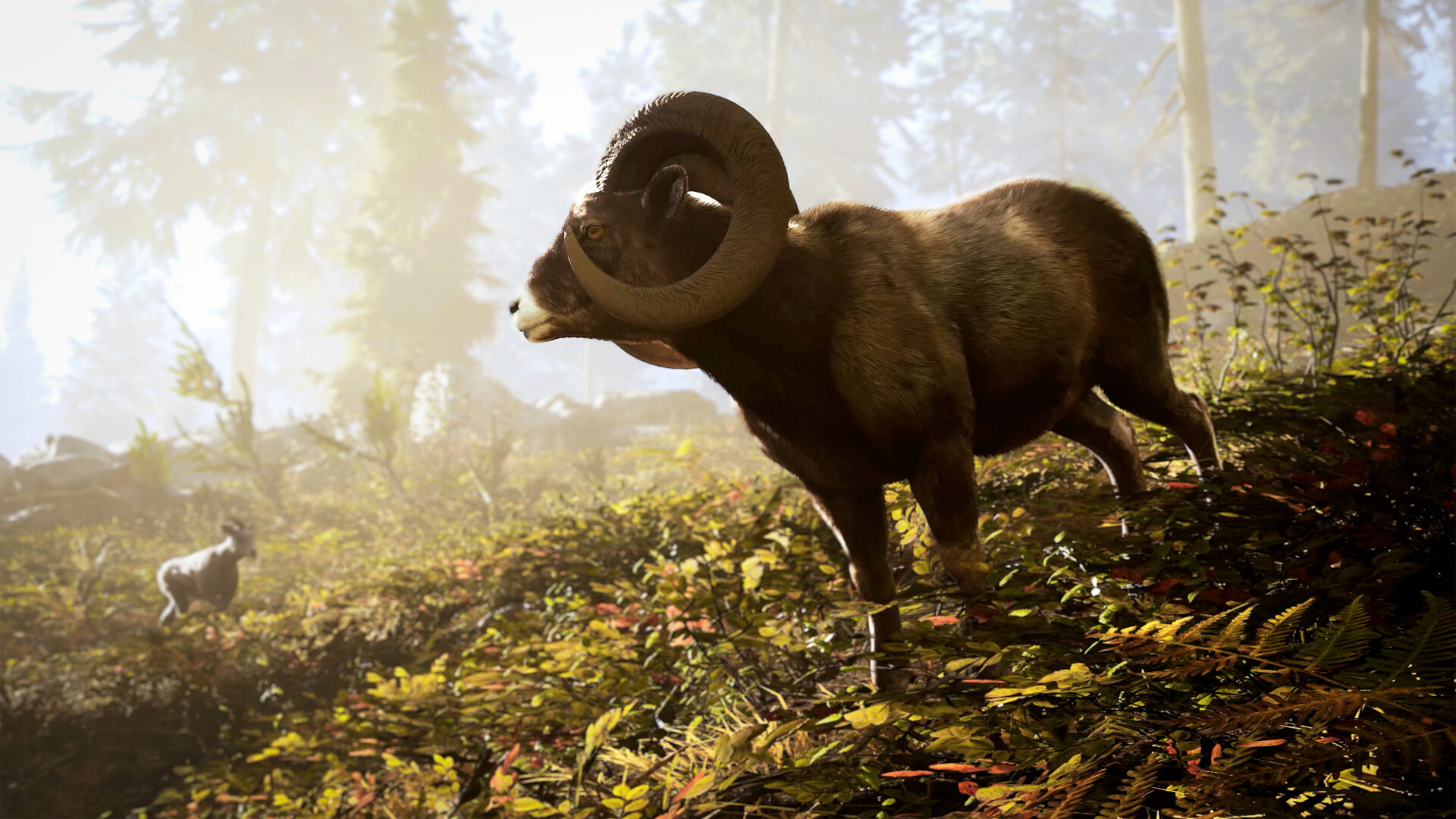
A beautiful reserve means little if tracking wildlife feels like busywork, and these Hunting Simulator 3 first impressions suggest the demo has more to offer than scenery. With the October 29 launch approaching, its guided hunts provide a useful look at whether preparation, patience, and shot placement make a satisfying loop. These Hunting Simulator 3 first impressions draw on published demo gameplay and official announcements—not personal hands-on testing—so performance observations remain attributed player experience rather than benchmark results.
Official screenshot · Source: Steam store
The early picture is encouraging: readable tracking, detailed equipment menus, hunting dogs, and a lodge that gives trophies somewhere meaningful to go. The reservations are equally clear. Tutorial pacing can drag, graphics settings may need adjustment, and the demo’s missing save functionality makes repeat visits less appealing.
The short verdict: this looks worth trying for players who enjoy deliberate hunting simulations, but the available evidence does not justify a final review score.
| Area | Early takeaway | Important limitation |
|---|---|---|
| Tracking | Color-coded signs and GPS support make trails readable | One introductory hunt cannot establish long-term difficulty |
| Shooting | The featured player describes a satisfying first shot | Weapon feel remains subjective |
| Equipment | Menus show varied optics, attachments, and field tools | Menu variety does not prove every item is equally useful |
| Presentation | Colorado scenery and lodge details make a strong impression | Smooth performance is not established across hardware |
| Replay value | Dogs, trophies, and exploration provide potential incentives | Demo progress is not saved |
What the Demo Includes—and What It Leaves Out
According to the official Hunting Simulator 3 Steam announcements, the full game is scheduled for October 29, 2026, on PC, PlayStation 5, and Xbox Series X|S.
As of October 26, the latest official update says the Steam demo remains available until launch. That supersedes an earlier announcement listing October 26 as its end date.
The demo offers the starting headquarters, a shooting range, and a restricted section of Colorado. Its first reserve mission, A Matter of Rabbits, introduces small-game hunting. Officially listed features also include a choice of Retriever or Hound and a drivable Polaris UTV.
For these Hunting Simulator 3 first impressions, the biggest qualification is the demo’s progression restrictions. Progress is not saved, and hunts do not award in-game currency. That makes it a systems preview rather than a reliable test of the full game’s economy.
| Demo feature | Confirmed scope | What to evaluate |
|---|---|---|
| Headquarters | Starting lodge and shooting range | Menu clarity and weapon handling |
| Colorado reserve | A limited section of the map | Visibility, navigation, and environmental detail |
| Opening mission | A Matter of Rabbits | Objective clarity and small-game behavior |
| Hunting dogs | Retriever or Hound selection | Whether companion support suits your play style |
| Vehicle | Polaris UTV | Exploration convenience and driving feel |
| Progression | No saved progress or hunt currency | Core mechanics, not long-term rewards |
The official description also distinguishes between three licensed species and other wildlife roaming the reserve. It does not provide a clean species-by-species license list in the supplied announcement. The practical takeaway is straightforward: seeing an animal does not mean you can legally harvest and claim it.
Before starting, set aside enough time for one continuous session. With no saved progress, several short visits may mean repeating setup rather than discovering something new.
Tracking and Shooting Look Accessible, Not Necessarily Shallow
The strongest part of these Hunting Simulator 3 first impressions is the apparent connection between preparation, tracking, shooting, and recovery. The featured gameplay walks through that sequence instead of treating the hunt as a search for targets.
Reading signs and following a trail
During the tutorial, the player examines droppings and footprints. Inspected footprints associated with the tracked animal change color and appear on the GPS, helping establish its direction of travel.
That is an approachable system. Beginners receive a readable trail, while the hunt still asks them to inspect evidence and move through the environment. Discovered structures, including hunting blinds, are also marked on the map.
The trade-off is that extensive assistance can reduce uncertainty. In the featured player experience, an animal outline makes the final recovery easier than the tutorial’s blood-tracking explanation might suggest. That observation does not establish how every difficulty setting works, but it is worth checking if you prefer minimal visual guidance.
Shot feedback gives recovery a purpose
After the introductory deer shot, the tutorial explains how blood color and puddle size can indicate the quality of a hit. The harvest screen then provides animal information, shot details, and an X-ray view of the bullet’s path.
That feedback could be valuable for learning. Rather than only celebrating a successful harvest, it gives players information to compare with their intended shot placement.
| Hunt stage | Information available | Practical use |
|---|---|---|
| Preparation | License and loadout information | Confirm the target and equipment are appropriate |
| Tracking | Inspected signs and GPS markers | Follow evidence rather than wander randomly |
| Positioning | Discovered blinds and terrain | Find a place to observe before firing |
| Recovery | Blood evidence and tracking cues | Assess the hit and locate the animal |
| Harvest review | Animal details and bullet-path X-ray | Review placement before the next hunt |
The featured player praises the feel of the first shot and the absence of a loading screen when entering or leaving a hunting blind. Those are small but useful positives: responsive shooting and uninterrupted movement can make a slow-paced hunt feel less cumbersome.
For newcomers, a sensible first-session routine is:
- Complete the guided deer hunt before exploring freely.
- Practice aiming and handling at the shooting range.
- Inspect several signs to understand the GPS trail.
- Review the harvest screen instead of immediately dismissing it.
- Change one aspect of your approach at a time.
The tutorial’s pace may be the sticking point for experienced players. Its repeated instructions and slow escort sections attracted impatience in the featured gameplay. Clear teaching is welcome; prolonged instruction can still interrupt the atmosphere.
Equipment, Dogs, and the Lodge Give Hunts More Context
These Hunting Simulator 3 first impressions become more interesting when the game moves beyond the first rifle shot. Equipment selection, companions, and trophy displays suggest several reasons to prepare carefully and return to base.
Equipment variety looks promising
The loadout menus shown in the gameplay include scopes, muzzle attachments, bipods, binoculars, rangefinders, animal calls, decoys, scent-related items, blinds, and wind powder.
That is a substantial set of options, but availability alone is not proof of simulation depth. The unanswered question is whether different situations make those tools genuinely useful.
For example, a rangefinder has an obvious role when distance is difficult to judge. Calls, decoys, and scent management need longer testing to establish how reliably animals respond.
| Equipment or feature | Potential value | Sensible demo test |
|---|---|---|
| Rangefinder | Helps assess distance | Compare measured distance with your visual estimate |
| Optics | Improve observation and aiming | Test sight picture before leaving the lodge |
| Wind powder | Supports wind awareness | Check conditions before choosing an approach |
| Calls and decoys | May support species-specific setups | Observe responses rather than assuming effectiveness |
| Hunting dog | Adds tracking or retrieval support | Try the companion during a focused hunt |
| Trophy displays | Give completed hunts a visible reward | See whether lodge collecting appeals to you |
Check licenses and caliber before firing. In the featured player experience, shooting a Canada goose produces notifications for both an unsuitable caliber and a missing license. It is a concrete example of why preparation matters more than simply carrying a weapon.
Dogs need more testing, but they fit the experience
The official demo description confirms Retriever and Hound choices. In-game instruction presents dogs as companions with different strengths, including trailing, retrieving, and finding game.
The featured player responds enthusiastically to selecting a dog, but the footage described here is not enough to judge companion reliability across multiple hunts. Pathfinding, command responsiveness, and consistent recovery assistance remain open questions.
Even so, a useful dog could make searching feel more collaborative without removing the need to observe the environment.
The lodge provides a visible reward
The tutorial lets the player display the introductory deer as a trophy. The featured player also praises the lodge’s customization options and weapon displays.
That matters because hunting simulations depend on more than the moment of firing. A lodge can connect separate outings, giving memorable harvests a place in an ongoing collection.
The demo cannot fully establish that longer-term appeal. Without saved progress or hunt income, it is difficult to assess trophy costs, purchasing decisions, or how quickly the full game rewards successful hunts.
Performance and Pacing Are the Main Reasons to Wait
The most cautious part of these Hunting Simulator 3 first impressions concerns technical performance. The featured player initially mentions choppiness, later describes the game positively, and eventually adjusts graphics settings again.
The resulting player experience is mixed rather than contradictory: a game can look attractive and feel enjoyable while still needing settings adjustments.
The player moves from Ultra settings toward High and experiments with anti-aliasing, reporting a better experience afterward. However, the supplied material does not include hardware specifications, measured frame rates, frame-time data, or controlled comparisons.
There is no basis here for promising a particular FPS target or console performance level.
If you try the PC demo, use a simple comparison process:
- Start with a preset rather than changing many individual settings.
- Revisit the same outdoor location after each adjustment.
- Compare responsiveness while moving and aiming, not just while standing still.
- Check foliage and distant detail before leaving anti-aliasing disabled.
- Evaluate performance in the reserve as well as inside the lodge.
Pacing deserves similar scrutiny. The featured gameplay makes map markers and automatic movement look convenient, but its tutorial sections sometimes feel slower than the player wants.
Separately, community reports on Steam include complaints about walking and crouching speeds. Another community report criticizes restarting because progress is not saved. These are individual reactions, not evidence of a broad player consensus.
Overall, these Hunting Simulator 3 first impressions support a try-the-demo recommendation rather than an unconditional purchase recommendation. The readable hunting loop, detailed preparation, and appealing base are promising. Long-term mission variety, progression balance, companion consistency, and release-build performance still need fuller evaluation.
If deliberate observation and trophy collecting are your priorities, the demo offers a useful test. If smooth performance or an unobtrusive tutorial is essential, investigate those points before buying.
FAQ: Hunting Simulator 3 First Impressions
When does Hunting Simulator 3 release?
The official Steam announcements list October 29, 2026, for PC, PlayStation 5, and Xbox Series X|S. As of October 26, the latest update says the Steam demo remains available until the full game launches.
Does progress carry over from the demo?
The official announcement states that demo progress is not saved and hunts do not award in-game currency. Treat the demo as a chance to evaluate mechanics, not as an opportunity to build a lasting trophy collection or bankroll.
Can you use dogs and vehicles in the demo?
Yes. The official demo feature list includes a choice of Retriever or Hound and a drivable Polaris UTV. Their inclusion is confirmed, although the supplied player experience does not establish how consistently dogs perform across different hunting situations.
Do these Hunting Simulator 3 first impressions suggest it is worth trying?
Yes, particularly if you enjoy tracking, equipment preparation, and patient hunts. The strongest early signs are readable tracking feedback, detailed harvest analysis, and an appealing lodge. Try the demo to judge performance and pacing for yourself; the limited evidence is not enough for a definitive full-game verdict.
Related Guides
Hunting Simulator 3 reddit: Early Feedback Explained
Searching Hunting Simulator 3 reddit? Explore early player feedback, demo limits, confirmed features, and what to check before buying.
Hunting Simulator 3 review: Promising but Uneven
Our Hunting Simulator 3 review-in-progress examines early gameplay, wildlife, dogs, gear, and frustrations ahead of the October 29 launch.
Hunting Simulator 3 vs Call of the Wild: Which Wins?
Compare Hunting Simulator 3 vs Call of the Wild on realism, trophy hunting, preparation, and features—with clear limits on demo-based impressions.
Hunting Simulator 3 early access: Demo & Release Guide
Hunting Simulator 3 early access explained: Steam demo availability, October 29 release, platforms, PC specs, and what preview gameplay reveals.
Hunting Simulator 3 crossplay: PS5, Xbox, and PC Status
Is Hunting Simulator 3 crossplay confirmed? Get the latest PS5, Xbox, and PC details, plus what Steam says about multiplayer and saves.